
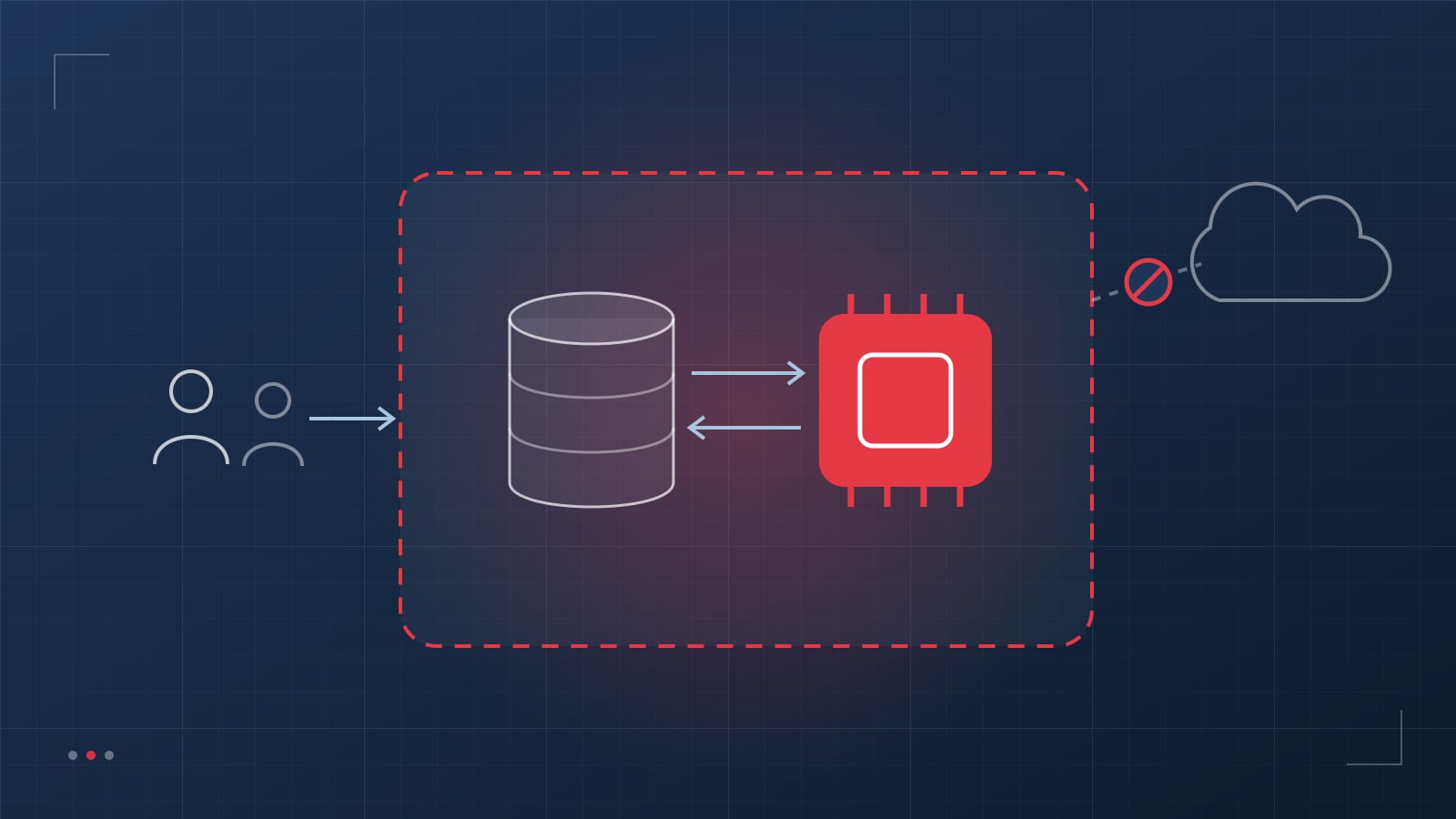
- “Private AI” means your prompts, documents, and outputs stay in an environment you control and are never used to train someone else’s model.
- For most companies, a managed model API inside your own cloud account is the right balance of control, quality, and effort.
- RAG must respect the permissions of the source documents. If a user can’t open a file, the AI must not quote it to them.
- Start with RAG for company knowledge. Fine-tune only for narrow tasks where format or style matters more than facts.
In almost every organisation we work with, employees are already using public AI chatbots — often by pasting in contracts, customer emails, financial data, or patient details. Banning the tools rarely works; people simply use them on their phones. The sustainable answer is to give them an approved assistant that is just as useful and keeps the data inside your walls.
The problem with public AI for regulated work
- Data residency and retention. Consumer tools may store conversations outside your chosen region and keep them longer than your policies allow.
- Contract and regulatory exposure. Client confidentiality clauses, HIPAA, GDPR, and financial-services rules all restrict where data can go.
- No knowledge of your business. A general chatbot doesn’t know your policies, products, or past cases, so its answers are generic or wrong.
- No audit trail. You cannot show a regulator or client who asked what, and which answer they received.
Three ways to run private AI
| Option | How it works | Trade-offs |
|---|---|---|
| Managed model API in your cloud | Models such as those on Amazon Bedrock, Azure OpenAI, or Google Vertex AI, called from your own account and region under enterprise terms that exclude training on your data | Strong models, low operational effort; you rely on the cloud provider’s controls |
| Self-hosted open-weight models | Models such as Llama or Mistral running on GPUs in your virtual private cloud or data centre | Maximum isolation and predictable cost at high volume; more engineering and operations work |
| Hybrid | Sensitive workloads on self-hosted models, everything else on managed APIs, behind one gateway | Best fit for many regulated firms; needs a routing and policy layer |
We are deliberately multi-cloud here. The right choice depends on where your data already lives, your compliance obligations, and your volumes — not on a vendor preference.
How retrieval-augmented generation (RAG) works
RAG lets a model answer from your documents without retraining it. When a user asks a question, the system finds the most relevant passages in your knowledge base and gives them to the model along with the question. The model answers using only that material, and cites it.
- Ingestion. Documents are pulled from sources such as SharePoint, file shares, wikis, ticketing systems, and databases, then parsed, split into passages, and tagged with metadata — including who is allowed to see them.
- Indexing. Each passage is converted into an embedding and stored in a vector index, often alongside a keyword index for exact terms such as policy numbers.
- Permission-aware retrieval. At query time, the search is filtered to documents the user is entitled to see, using the same identity as your other systems.
- Grounded generation. The model answers from the retrieved passages, with citations, and says “I don’t know” when the sources don’t support an answer.
- Logging and evaluation. Questions, sources, and answers are logged, and a test set of real questions with known answers is run before every change.
Indexing everything into one store and letting everyone search it means a new hire can ask about executive compensation or a pending acquisition. Carry document permissions into the index and enforce them on every query.
Five mistakes that leak data
- Ignoring source permissions — the problem described above.
- Sending prompts to third-party monitoring tools. LLM observability services are useful, but prompts often contain personal or confidential data. Self-host them or redact before logging.
- Trusting retrieved content. A document or email can contain hidden instructions (prompt injection). Treat retrieved text as data, never as commands, especially when the system can take actions.
- Over-broad connectors. Connecting an entire mailbox or drive when the use case needs one folder multiplies the blast radius.
- No retention policy for chat history. Conversations become a new store of sensitive data. Decide how long they are kept and who can see them.
RAG or fine-tuning?
Use RAG when the goal is answering from facts that change — policies, procedures, product details, case history. Updating the knowledge is as simple as updating the documents. Use fine-tuning when you need a model to follow a specific format, tone, or narrow classification task consistently. Many production systems use both: RAG for knowledge and a lightly tuned model for output format.
Where to start
- Policy and procedure assistant for operations, HR, or compliance teams
- Underwriting and claims guidelines lookup for insurance teams
- Contract and clause search for legal and procurement
- Clinical and operational documentation lookup in healthcare, under the safeguards in our HIPAA developer guide
- Support knowledge base that drafts answers from past tickets and documentation
Frequently asked questions
Can we use LLMs with HIPAA-protected or other regulated data?
Yes, with the right setup. Major cloud AI services, including Amazon Bedrock and Azure OpenAI, offer configurations that can be covered by a business associate agreement (BAA), and self-hosted models keep data entirely within your environment. Confirm which specific services and regions are covered, and apply the same access controls, encryption, and audit logging you use for any regulated system.
Do we need our own GPUs to run private AI?
Usually not. Most companies start with managed model APIs running inside their own cloud account and region, which keeps data under their control without buying hardware. Self-hosting open-weight models on dedicated GPUs makes sense for very high volumes, strict isolation requirements, or air-gapped environments.
Can a private AI assistant cite its sources?
It should. A well-built RAG system returns the specific documents and passages each answer is based on, so users can verify the answer and auditors can trace it. If the system cannot find a supporting source, it should say so rather than guess.
How long does it take to build a private AI assistant?
A working pilot on your own documents typically takes four to six weeks. A production rollout with single sign-on, permission-aware retrieval, monitoring, and integrations usually takes eight to fourteen weeks, depending on the number of sources and users.